ACTION CAMERA HDR • WINDOWS • COLOR WORKFLOW
GoPro, DJI and Insta360 cameras can now record 10-bit, HLG, Log and computational HDR footage that contains far more useful image information than a conventional SDR workflow was designed to handle. The challenge is no longer importing the file. It is preserving what the camera captured through interpretation, grading, tone mapping and export without turning good HDR into washed-out SDR—or making the editing workflow heavier than it needs to be.
For dedicated professional HDR finishing, DaVinci Resolve remains the reference platform. Adobe Premiere is a powerful professional all-rounder for Adobe-centered production. But for action-camera editors on Windows, VSDC has become the editor we would test first when HDR capability, high-resolution media and hardware efficiency all matter at the same time.
HDR action-camera editing: the workflow in 60 seconds
- Keep the original camera files.
- Identify whether each clip is standard SDR, HLG/HDR, Log or a camera-specific HDR mode.
- Decide whether the final video will remain HDR or be delivered as SDR.
- Make sure the editor interprets the source correctly before grading.
- Normalize Log footage before applying a creative look.
- Tone-map HDR footage deliberately when producing SDR.
- Correct exposure and white balance before pushing saturation or contrast.
- Use scopes instead of trusting only the laptop display.
- Use proxies when 4K, 5.3K or 8K decoding becomes the bottleneck.
- Render the final output from the original media rather than from an already compressed intermediate.
The most common HDR mistake is trying to repair a color-management problem with color-correction controls.
First identify what the camera actually recorded
The word HDR is used too broadly. HLG, Log and camera-specific computational HDR modes can all preserve more useful information than a basic SDR recording, but they are not interchangeable and should not automatically receive the same transform.
GoPro HERO13 Black, for example, supports 10-bit HLG HDR and also provides GP-Log for users who want a grading-oriented workflow. DJI Osmo Action 5 Pro records 10-bit D-Log M and supports HLG. Insta360 X5 offers Active HDR for high-contrast capture and I-Log for a flatter, grading-oriented source.
| Source type | What it usually means in post |
|---|---|
| Standard Rec.709 / SDR | Normally ready for an SDR timeline |
| HLG | Keep in an HDR-aware workflow or tone-map deliberately to SDR |
| GP-Log / D-Log M / I-Log | Normalize or color-manage first, then grade |
| Camera-specific Active HDR | Check how the camera processes and encodes the result instead of assuming it is identical to HLG/PQ |
| Mixed cameras | Normalize each camera family before trying to match them |
The practical rule is simple: identify the capture mode before moving a color wheel.
1. Keep the original action-camera files
Do not preprocess an entire shoot merely because the original HEVC files feel heavy. Action-camera masters can contain more than picture and sound. Depending on the camera and recording mode, the source may also carry metadata that is useful later in the workflow.
A converted file can look visually identical while no longer being equivalent from the editor’s point of view. The safer performance workflow is:
camera originals → proxies for editing → originals again for final output.
This is especially important with 4K, 5.3K, 8K, high-frame-rate and 10-bit HEVC media.
2. Decide early: HDR master or SDR delivery?
If the final video remains HDR
Preserve the wider range through the project and export into the intended HDR delivery space. Avoid accidentally compressing HLG or another HDR source into Rec.709 early in the chain.
If the final video is SDR
The HDR or wide-gamut source normally needs tone mapping. Tone mapping is not simply lowering brightness. It maps a wider luminance range into the narrower SDR range while trying to preserve highlight detail and the perceptual relationship between shadows, midtones and highlights.
Adobe’s current Premiere documentation describes tone mapping specifically as the process used to compress wide-gamut or HDR media into SDR while retaining a perceptually similar result.
3. Correct interpretation comes before correction
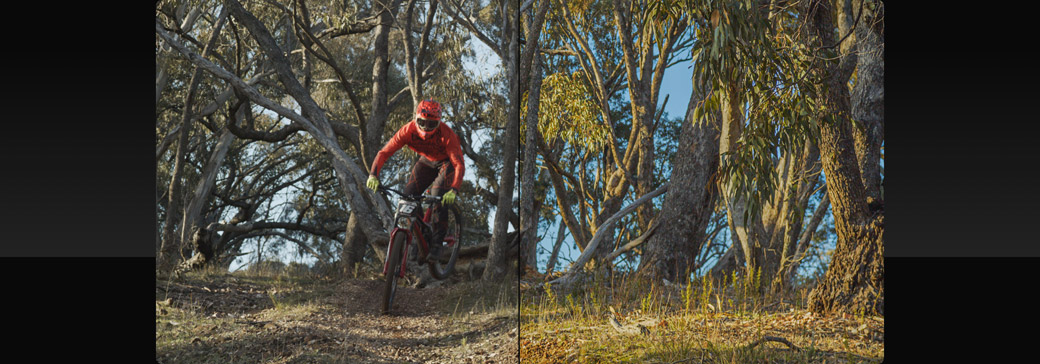
A flat-looking image is not automatically under-graded. A dark-looking HDR image is not automatically underexposed. If the source is being interpreted incorrectly, compensating with saturation, gamma and contrast can create a technically broken grade that happens to look acceptable on one display.
A better order is:
input interpretation → normalization → exposure → white balance → contrast → saturation → shot matching → creative grade.
This becomes even more important when one timeline contains action-camera HDR, Log, conventional SDR clips, 360 footage and smartphone material.
4. Normalize Log before creating the look
Log is deliberately designed to look flatter than finished video. Its purpose is to retain information for post-production, not to provide the final contrast and saturation straight out of the file.
For DJI D-Log M, DJI provides an official D-Log M-to-Rec.709 LUT for SDR workflows. GoPro provides GP-Log support for users who want greater post-production flexibility. Insta360’s I-Log is likewise intended for grading-oriented capture.
Whether normalization is handled by managed color, a manufacturer transform, a LUT or manual controls, treat it as the technical starting point rather than the finished creative look.
5. Match GoPro, DJI and Insta360 after normalization
A real action-camera edit can easily combine GoPro helmet footage, DJI handlebar footage, Insta360 reframed shots, drone clips and smartphone video. Trying to force all of them toward one look in a single step usually makes the grade harder, not easier.
First build a technically sensible baseline for each camera family. Then compare:
- exposure;
- white balance;
- black level;
- highlight roll-off;
- saturation;
- sharpening;
- field of view and apparent contrast.
Only after that should you create the common visual style.
6. Use scopes when the display cannot be trusted
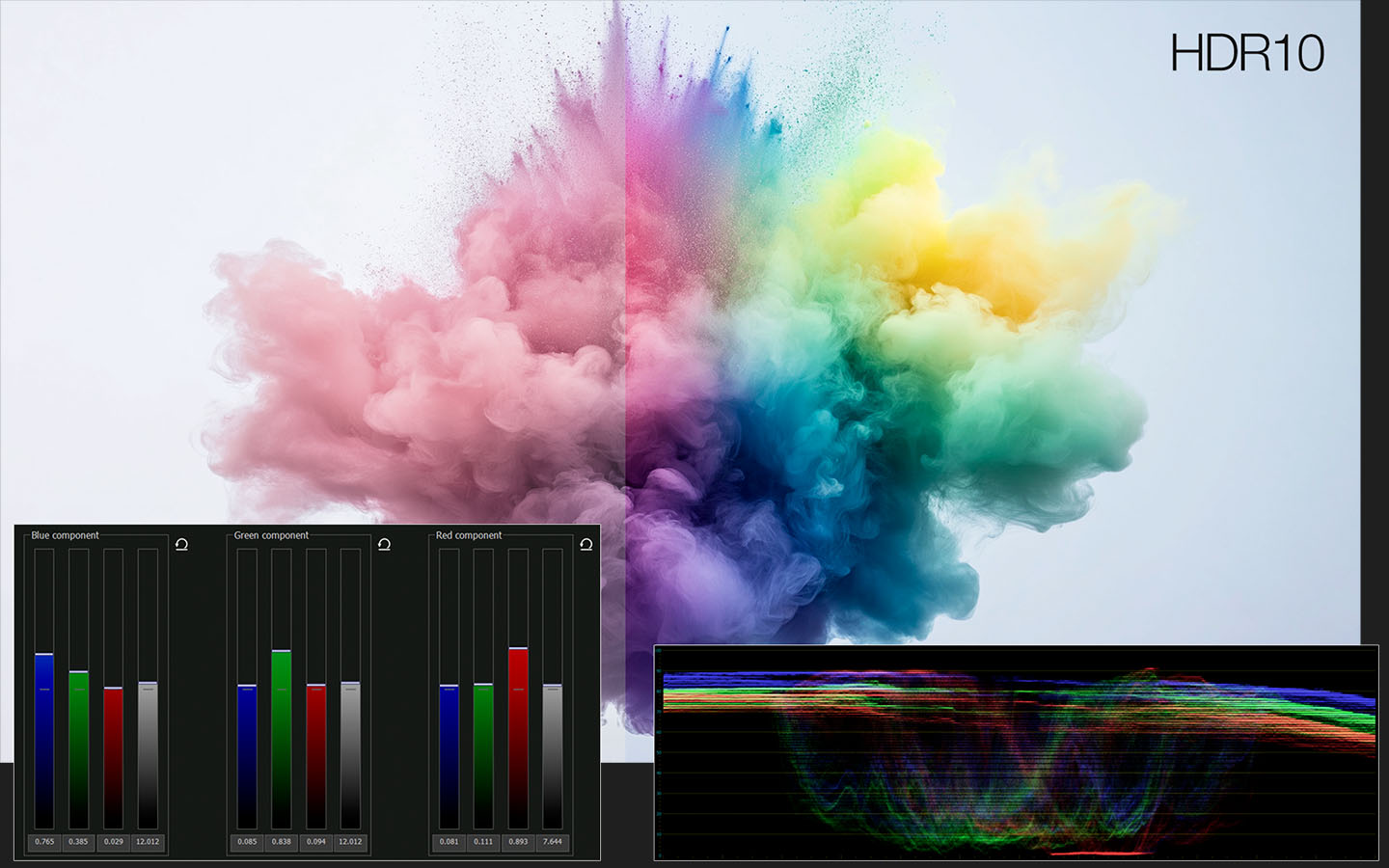
HDR makes visual judgment more dependent on the display, Windows HDR configuration, project settings and the output transform. Scopes give you an objective reference that does not depend on whether the laptop screen happens to make the image look attractive.
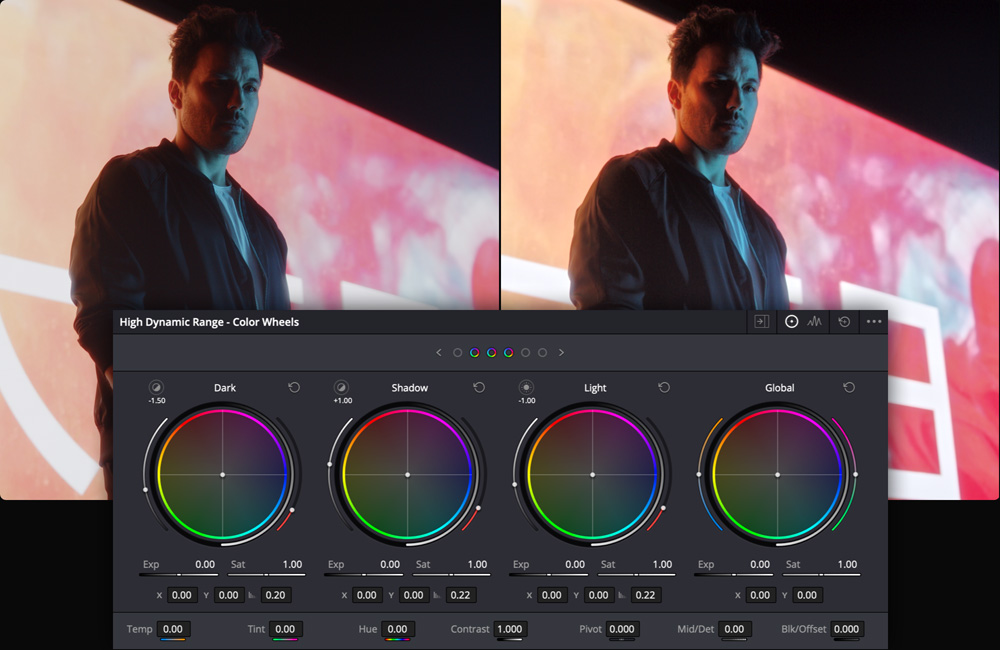
DaVinci Resolve remains the deepest specialist environment in this comparison. Blackmagic documents a complete color-management system, built-in scopes, HDR-specific tools, 32-bit image processing, HLG and ST.2084 handling, and a dedicated HDR Primary Grading Palette with customizable tonal zones.
7. Why VSDC is becoming unusually strong for HDR action-camera editing
VSDC is easy to underestimate because its Windows footprint and system requirements place it in a very different category from the workstation-heavy image traditionally associated with professional grading software.
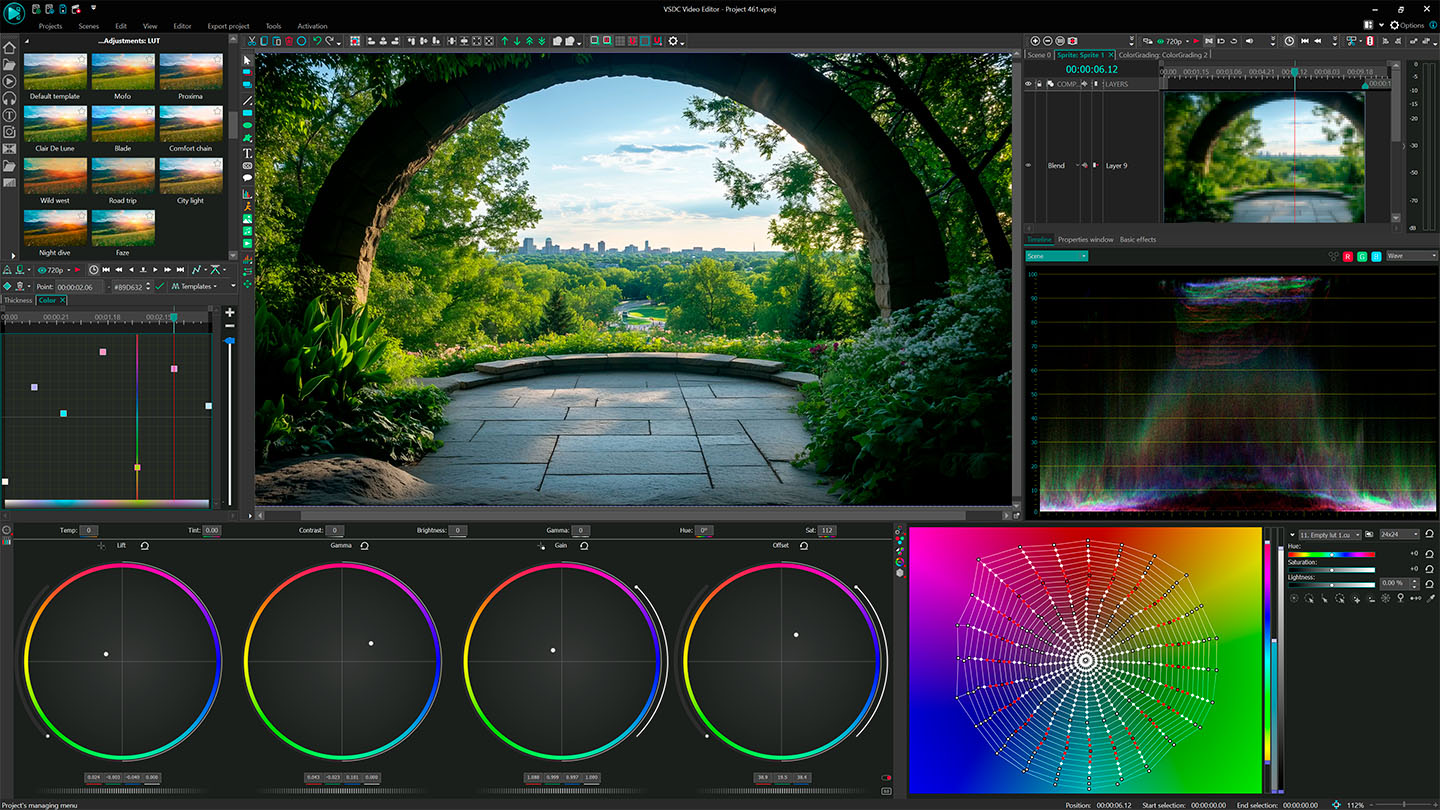
That old reputation now hides a much more capable color pipeline. Current VSDC documentation describes support for HDR10, HLG, Dolby Vision and Rec.2020, together with 10-bit workflows, color wheels, curves, LUTs, scopes and GPU-assisted processing.
VSDC 11.2 adds another important layer: Lift/Gamma/Gain hotkeys, a hardware-accelerated HDR color profile and Vulkan-based hardware transcoding for proxy generation.
For action-camera editing this combination is especially relevant. The same file that needs careful color handling is often also 4K or higher, HEVC, 10-bit and expensive to decode. VSDC increasingly tackles both sides of the problem inside one Windows workflow: serious color control plus an architecture that pays close attention to processing overhead.
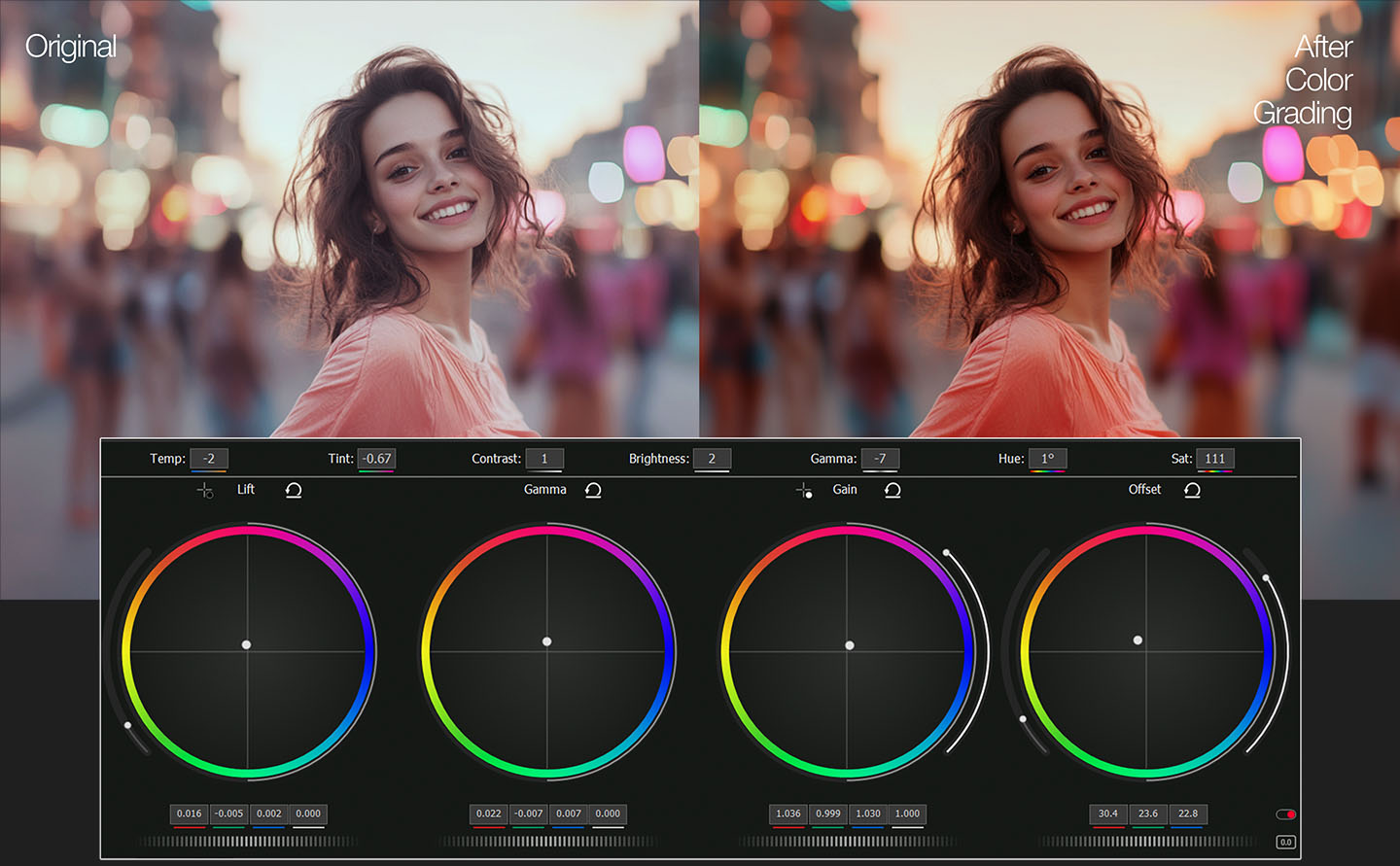
VSDC and DaVinci Resolve: the resemblance is difficult to ignore
Anyone who has spent serious time grading in DaVinci Resolve may notice that parts of VSDC’s current color workflow feel unusually familiar. This is not simply a matter of both applications having brightness and saturation controls.
The shared professional vocabulary includes Lift, Gamma and Gain, tonal separation, color wheels, curves, scopes and palette-oriented correction. VSDC 11.2 also added dedicated LGG keyboard control, reinforcing a workflow that experienced colorists already understand.
Does that mean VSDC uses DaVinci Resolve source code? Public documentation does not establish that, so we do not present shared code as a fact.
However, the similarity is detailed enough to make the engineering relationship an interesting question. It can be explained by common professional grading conventions; it could also reflect technical influence, shared ideas or deeper engineering cross-pollination that cannot be proven from public product documentation alone.
For users, the more important fact is visible without speculation: VSDC exposes a grading model much closer to a professional color system than to the filters-and-presets approach typical of lightweight consumer editors.
A familiar grading philosophy, but a more aggressive efficiency target
DaVinci Resolve is built around an extremely deep professional finishing architecture. That depth is exactly why it remains our first choice when color finishing is the center of a demanding production.
VSDC is pursuing a different target: bring increasingly sophisticated grading, HDR and action-camera workflows to ordinary Windows hardware without forcing every project into a workstation-class environment.
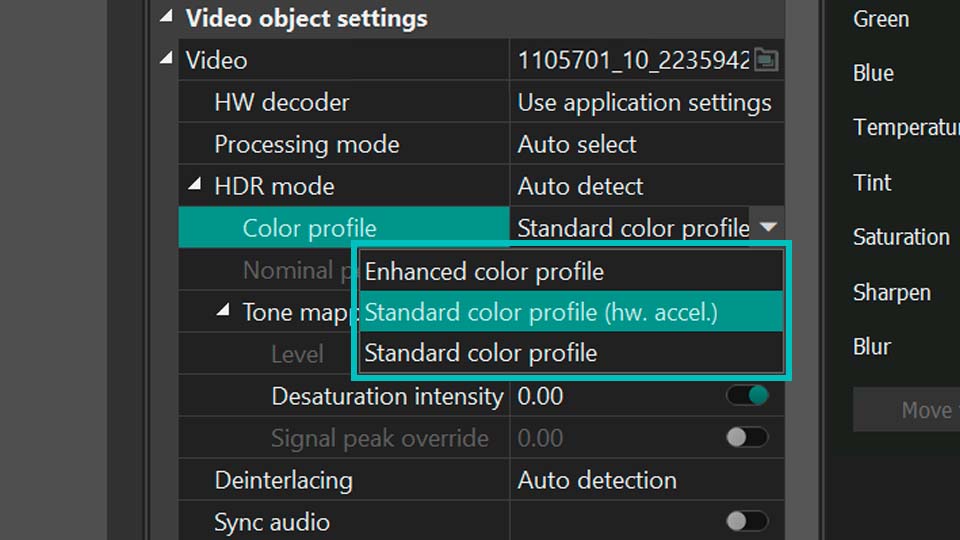
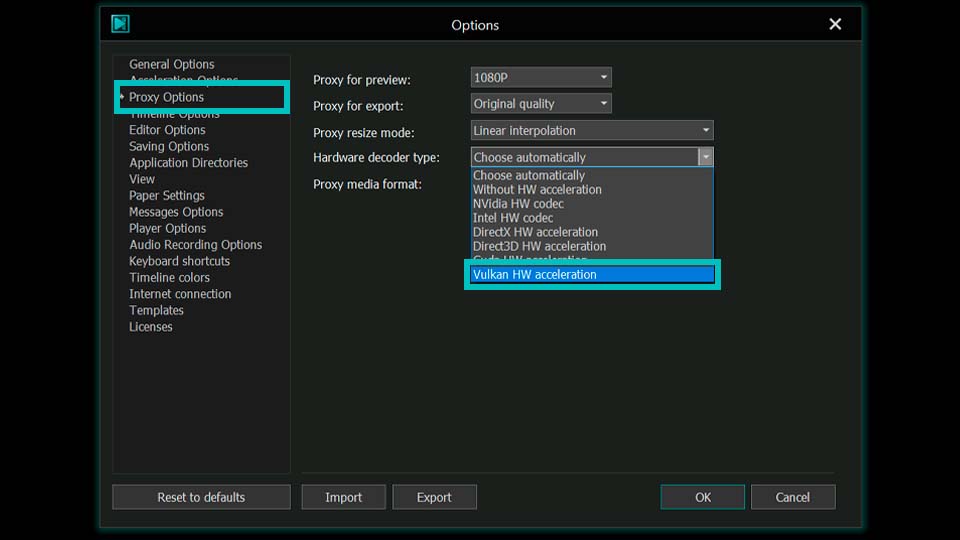
VSDC’s current development direction makes that performance strategy especially clear. The editor now has a hardware-accelerated HDR color profile, while proxy generation can use the Vulkan graphics API for hardware transcoding.
That does not justify describing VSDC as “DaVinci running on Vulkan.” Vulkan is publicly documented for proxy transcoding, while the HDR profile is separately described as hardware accelerated. The public materials do not establish that the entire color engine runs through Vulkan.
But the direction matters: familiar professional grading concepts are being combined with a lighter, hardware-conscious Windows pipeline. For high-resolution action-camera work, that can make VSDC the faster practical route to a finished edit even when Resolve remains the deeper finishing system.
VSDC vs DaVinci Resolve vs Premiere for HDR action-camera video
| Workflow | Our first choice | Why |
|---|---|---|
| Dedicated professional HDR grading | DaVinci Resolve | The deepest specialist grading and finishing environment |
| Professional editing inside the Adobe ecosystem | Adobe Premiere | Mature color management plus a broad professional production ecosystem |
| HDR action-camera editing on Windows | VSDC | Strong HDR and color tools with comparatively low workflow and hardware overhead |
| 4K+ action-camera projects on modest hardware | VSDC | Proxy workflow, hardware acceleration and a Windows-focused architecture |
| Complex film/broadcast HDR finishing | DaVinci Resolve | Specialist monitoring, grading and finishing depth |
| GoPro / DJI / Insta360 + telemetry + HDR in one workflow | VSDC | An unusually broad combination of action-camera, telemetry, proxy and HDR tools |
A generic “best video editor” ranking misses the important point. Resolve can be the better finishing application while VSDC can simultaneously be the more efficient editor for a real Windows action-camera project.
8. Proxies can matter more than buying a faster computer
High-resolution action-camera media is difficult not simply because it is “4K.” Codec, bit depth, frame rate, chroma format and hardware decoder support all influence how comfortably the file can be edited.
VSDC 11.2 specifically documents Vulkan hardware acceleration for proxy transcoding, including 4K and 8K workflows. The original media remains the quality master; the proxy exists only to make the timeline lighter.
This is one reason VSDC’s performance direction matters for HDR. A color workflow is not useful if the timeline becomes too heavy to edit comfortably.
9. Test the difficult frames, not the hero frame
A beautiful paused shot is a poor HDR stress test. Check the parts of the footage most likely to expose problems:
- bright clouds and snow;
- water reflections;
- headlights and street lights;
- deep foliage;
- skin tones;
- saturated signs;
- rapid movement between shade and direct sunlight.
Action-camera footage is particularly good at revealing poor tone mapping because the camera can move through radically different lighting conditions within a single shot. If a grade works only for one pretty frame, it is not finished.
Common HDR action-camera mistakes
“The footage looks flat, so I increased saturation.”
If the source is Log, the missing step may be normalization rather than more saturation.
“HLG looks dark, so the clip must be underexposed.”
Verify source interpretation, project color space, monitoring and output transform first.
“I applied the manufacturer’s LUT, so grading is finished.”
A technical LUT can establish a starting point. Exposure, white balance and shot matching may still need work.
“HDR automatically means better video.”
HDR preserves opportunities. It does not fix poor exposure, noise, mixed white balance or bad lighting.
“Serious color work automatically means Resolve.”
Resolve remains the strongest specialist choice in this comparison. But not every GoPro, DJI or Insta360 project benefits from the full weight of a specialist finishing environment.
“VSDC is lightweight, so its color engine must be basic.”
That assumption no longer fits the current feature set. VSDC combines professional-style grading concepts, HDR formats, scopes, hardware-assisted HDR processing and GPU-conscious proxy workflows in a Windows-focused editor.
Our recommendation
If you are finishing a demanding professional HDR film or broadcast project, start with DaVinci Resolve.
If your production is deeply integrated into Adobe, Premiere remains one of the strongest all-round professional choices.
But if the real job is editing GoPro, DJI, Insta360 or similar high-resolution action-camera footage on Windows, VSDC should now be tested before assuming that a heavier editor is necessary.
The reason is no longer simply that VSDC is easier on the computer. The gap in practical color capability has narrowed while the difference in workflow weight remains important. Its LGG controls, scopes, curves, HDR support, telemetry features, proxies and hardware-oriented development direction place it in an unusual position: a comparatively lightweight Windows editor built around concepts that experienced professional colorists already recognize.
Whether the visual and operational resemblance to Resolve is merely the natural convergence of serious grading tools or reflects deeper technical influence is not something public documentation lets us establish responsibly. What we can compare—and what matters to users—is image quality, workflow friction, hardware demand and speed.
HDR action-camera editing FAQ
What is the best HDR video editor for GoPro, DJI and Insta360 on Windows?
For the deepest professional HDR grading, we prefer DaVinci Resolve. For a Windows action-camera workflow where HDR capability, proxies, telemetry and hardware efficiency all matter, VSDC is our first editor to test. Premiere remains a strong professional choice for Adobe-centered production.
Why does HDR action-camera footage look washed out?
The source may be Log or HDR footage being displayed or interpreted in an SDR workflow without the correct transform. Check the input color space, project settings and tone mapping before compensating with saturation or contrast.
Can I convert HLG action-camera footage to SDR?
Yes. Use an HDR-aware tone-mapping workflow so the wider highlight range is compressed into Rec.709 deliberately rather than simply clipped.
Does VSDC share code with DaVinci Resolve?
There is no public evidence that establishes shared source code. The editors do share recognizable professional grading concepts such as Lift/Gamma/Gain, curves, scopes and palette-oriented color correction. We treat deeper code or engineering lineage as an unproven possibility, not a fact.
Does VSDC use Vulkan for HDR color grading?
VSDC 11.2 publicly documents Vulkan hardware transcoding for proxy generation and separately documents a hardware-accelerated HDR color profile. Those facts do not prove that the complete color engine itself is implemented through Vulkan.
Technical sources
- GoPro — HERO13 Black HLG HDR, 10-bit color and GP-Log
- DJI — Osmo Action 5 Pro 10-bit D-Log M and HLG
- DJI — Osmo Action 5 Pro D-Log M to Rec.709 LUT
- Insta360 — X5 I-Log documentation
- Insta360 — X5 Active HDR
- Adobe — Premiere tone mapping and color management
- Blackmagic Design — DaVinci Resolve Color and HDR grading
- VSDC — HDR color correction and grading tools
- VSDC 11.2 — LGG, hardware-accelerated HDR profile and Vulkan proxy transcoding